Orders
Every order, from quote to delivery
Manage, track and create orders from every channel, with orders synced to the ERP you already run.
Book a DemoSee it in action
Every order, tracked from quote to delivery
Follow each order through picking, delivery and payment, and create orders for customers over the phone or at the counter.
- Sales channel, totals and delivery estimates
- Orders synced to your ERP
- Create orders on behalf of customers
Order 20844
Placed online · Contractor pricing
$471.00
Total
Online
Channel
Thu
Delivery
Placed
Synced to your ERP
Picked
Yard 2
Out for delivery
Own fleet
Delivered
Proof of delivery
How an order moves
- 1
Order arrives
From the website, counter, phone or app, or from an accepted quote.
- 2
Synced to your ERP
The order flows into the ERP you already run.
- 3
Picked and packed
Your team picks and packs, with the status updating as they go.
- 4
Pickup or delivery
Ready for pickup, or out for delivery to the job site.
- 5
Paid and closed
Payments are tracked, and the order closes as delivered or picked up.
Every channel
Every channel, one list of orders
Orders arrive from the website, the counter, the phone, the mobile app and accepted quotes. Your team works from one list, whatever the channel.
- See the sales channel on every order
- Accepted quotes convert into orders
- Orders sync to your ERP like any other
Order 20851
Online store
Order 20850
Counter
Order 20849
Mobile app
Order 20848
Accepted quote
Demo data
B2B Order Management
Utilize ToolSwift's Centralized Dashboard
Every order from the counter and the website lands in one dashboard, so your team can answer a customer's question in seconds instead of hunting through systems.
- View detailed order information, including:
- Sales channel (POS or online)
- Delivery estimates
- Order total
- Find any order quickly by searching its Order ID.
- Follow order and payment updates in real time.
- Keep orders in step with your back office, since they sync to ERPs such as Epicor, ECI, DMSI, Paladin, Genetiq, and Sandbox.
General
Analysis
Customer
Sales Channels
Integrations
Orders
Every order from every channel
Increased Order Rate
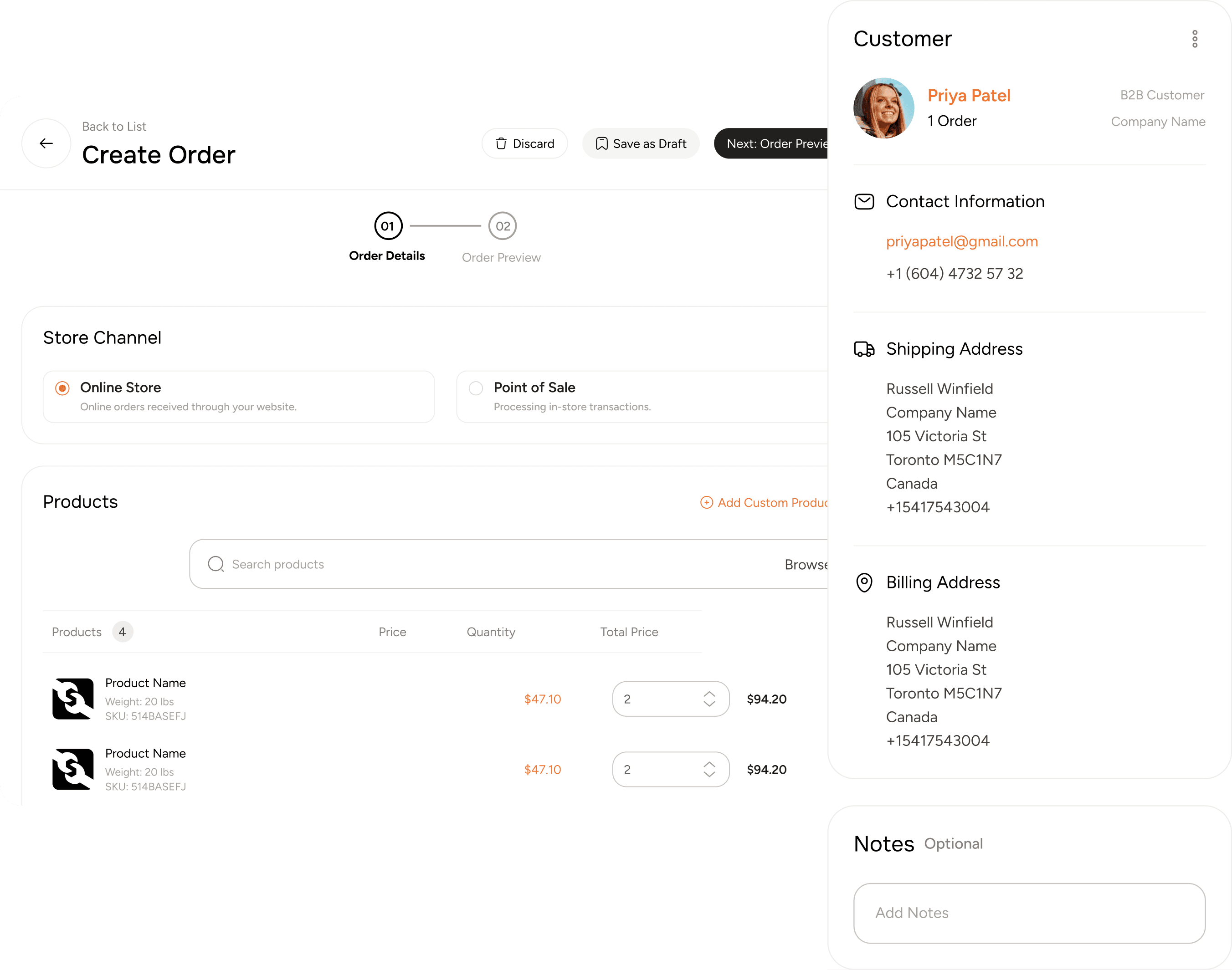
Create Orders on Behalf of Customers
Your counter and phone teams can place orders for customers in a few clicks, so no sale is lost to a clumsy checkout.
- Simplify the purchasing process for your customers.
- Reduce friction in phone and in-person sales.
- Boost order completion rates and customer satisfaction.
Order statuses
A clear status at every step
Every order carries a status, from pending to delivered, and the exceptions that need attention are called out so nothing sits unseen.
In progress
Ready and on the way
Complete
Needs attention
Refunds
Customers stay informed
Customers see their order's status change, and they are notified when it does.
Your ERP updates ToolSwift, and ToolSwift notifies the customer in the mobile app or by email.
Pickup and delivery
Pickup at the counter or delivery to the job site
The same order flow covers both, with statuses that match how the order actually leaves your yard.
Pickup
Customers know when their order is ready, and your counter closes it out when it is picked up.
Delivery
Orders go out on your own fleet, a carrier or through your distributor, and the status follows them to the job site.
When things go off plan
Exceptions your team can see and handle
Not every order goes straight through. The platform shows what is stuck and why, instead of leaving it for someone to discover.
Backorders
When an item is backordered, the order's status says Backordered, so your team and your customer both know.
Partial fulfillment
A partly fulfilled order is paid in partial payments. Orders typically do not ship until those partial payments are paid.
On hold and failed payments
Orders on hold or with a failed payment are called out, so they get attention before the customer calls.
Shipment held
If a shipment is held because of an error, the order shows it instead of silently stalling.
Returns and refunds
Orders can be refunded in full or in part, using the return and refund policies you set once.
See policiesSynced to your ERP
Orders land in the system you already run
Orders sync to ERPs such as Epicor, ECI and DMSI, so your counter and your online channel work from one set of records.
Works with
Quotes
Build, assign and convert quotes into orders.
Shipping
Your delivery zones, ShipStation, Shippo or distributor fulfillment.
Payments
Net terms, ACH, cards and Konek, tied to credit.
Common questions
Can my reps place orders for customers?
Yes. Staff can create orders on behalf of customers, which cuts friction in phone and in-person sales.
How do returns work?
Return and refund policies are set per product and applied automatically to eligible orders. Orders can be refunded in full or in part.
Do customers see order status changes?
Yes. Customers see their order's status change and are notified when it does, in the mobile app or by email.
How do status updates from my ERP reach customers?
Your ERP updates ToolSwift, and ToolSwift notifies the customer in the mobile app or by email.
What happens to a backordered item?
The order's status shows Backordered, so your team and the customer can see it.
How do partial fulfillments work?
A partly fulfilled order is paid in partial payments, and orders typically do not ship until those partial payments are paid.